AI analytics on your own databases

Ask your data anything.Get answers you can check.

Data Melody turns plain-language questions into SQL, charts and live dashboards on the databases you already use, then keeps them current on a schedule.

ai.datamelody.co/chat
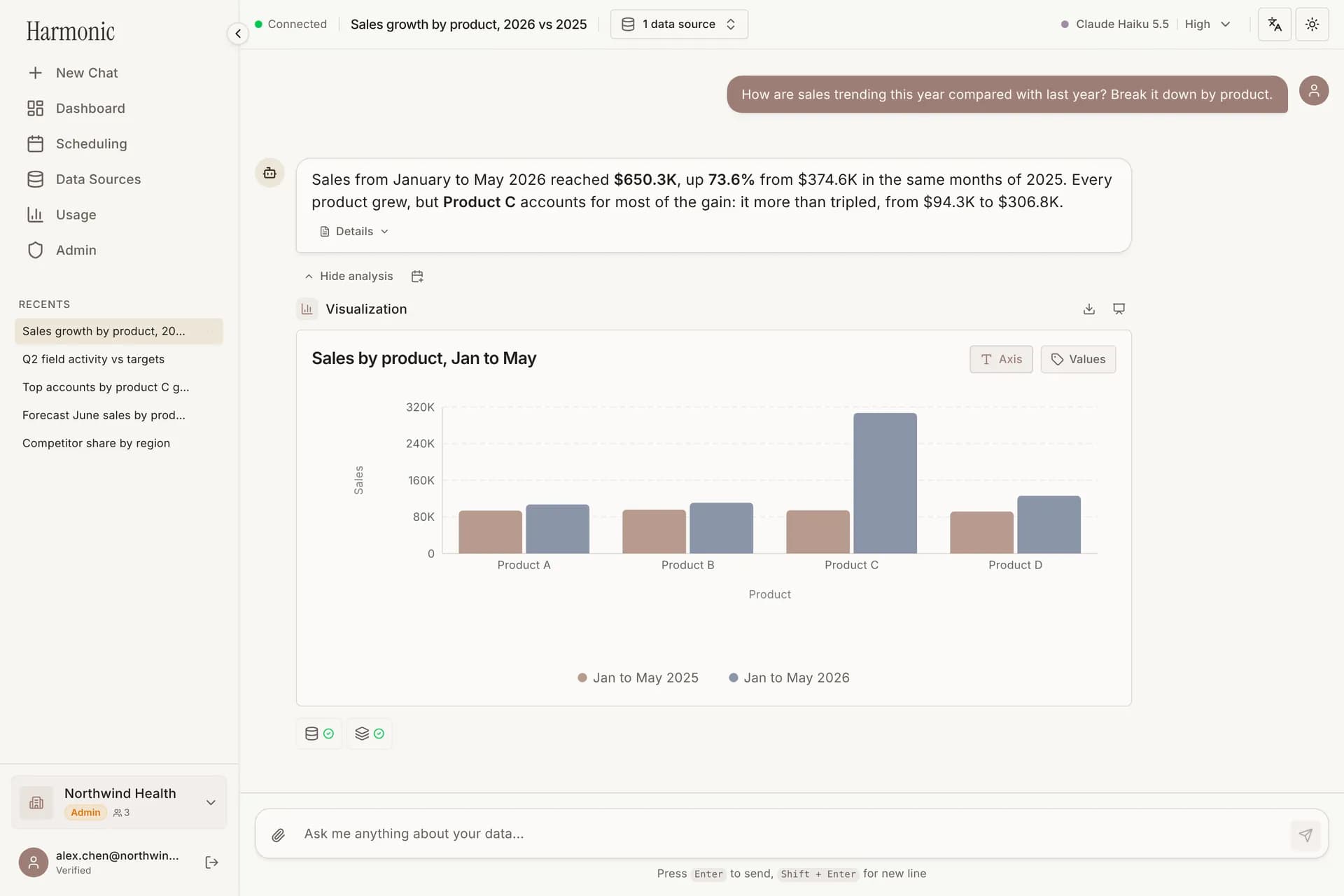
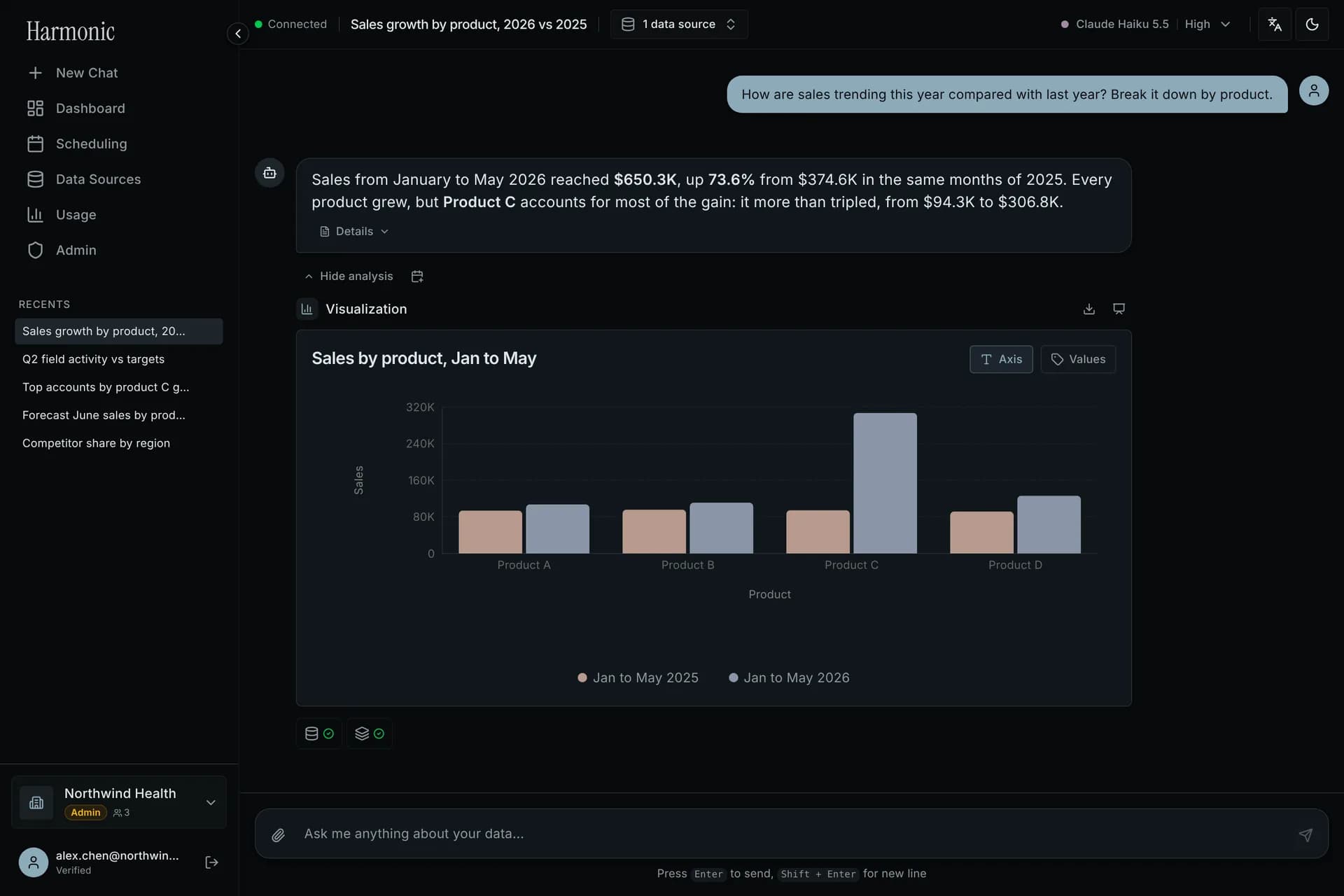
Chat AI answering a sales question with a bar chart that compares products year over year
database and warehouse connectors
13
database and warehouse connectors
AI model providers to choose from
3
AI model providers to choose from
interface languages: English, 繁體中文, 简体中文
3
interface languages: English, 繁體中文, 简体中文
01Chat AI

Ask a question. Get the number, the chart and the reasoning.

Type the question the way you would ask a colleague. The agent finds the right tables, writes and runs the SQL, and answers with a chart and a short analysis you can follow up on.

  • Picks tables and columns from your schema and business terms
  • Shows the SQL and every step it took to get the answer
  • Follow-ups keep the context: "Which accounts drove it?"
Chat AI answering a sales question with a bar chart that compares products year over year
ai.datamelody.co/dashboards/edit
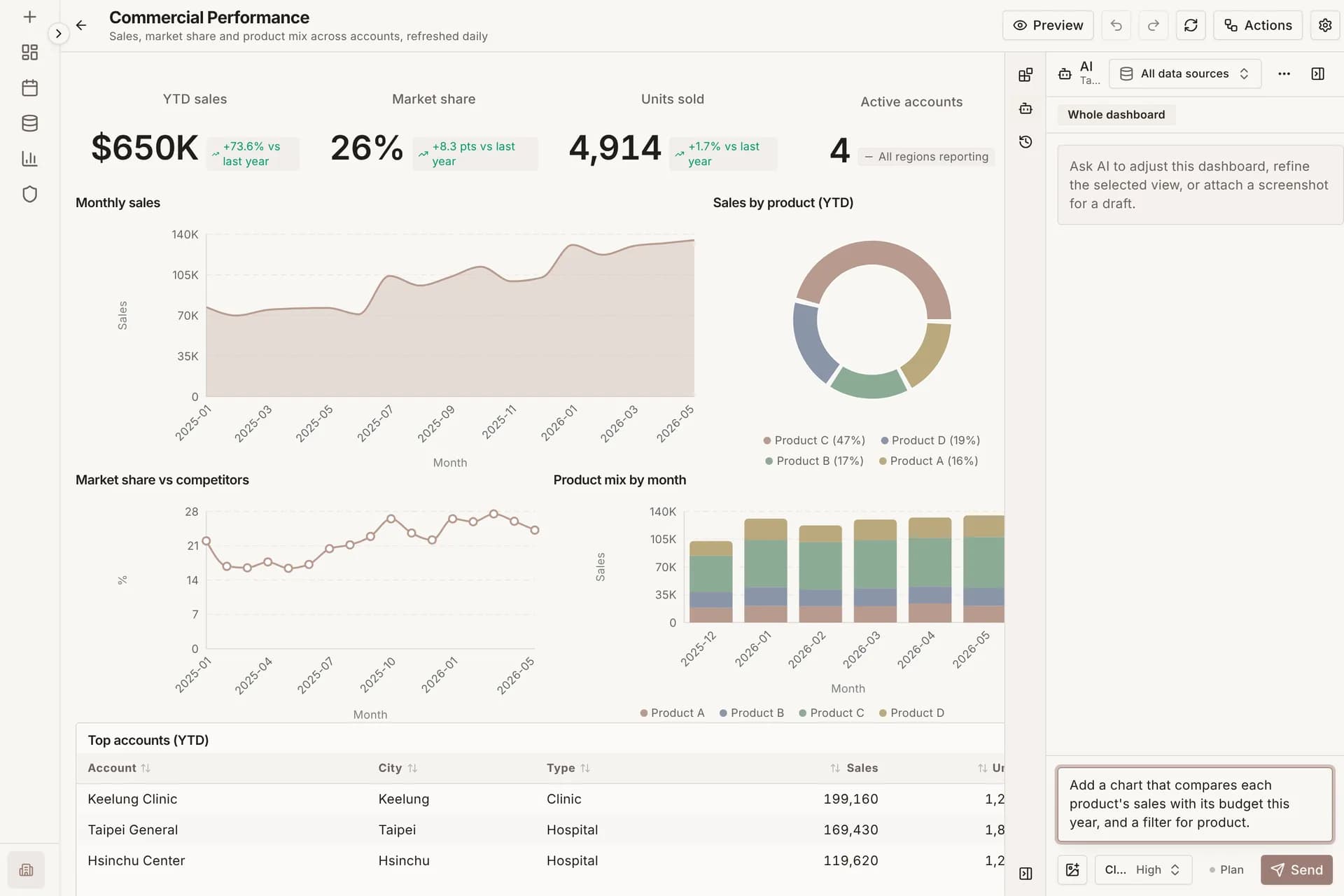
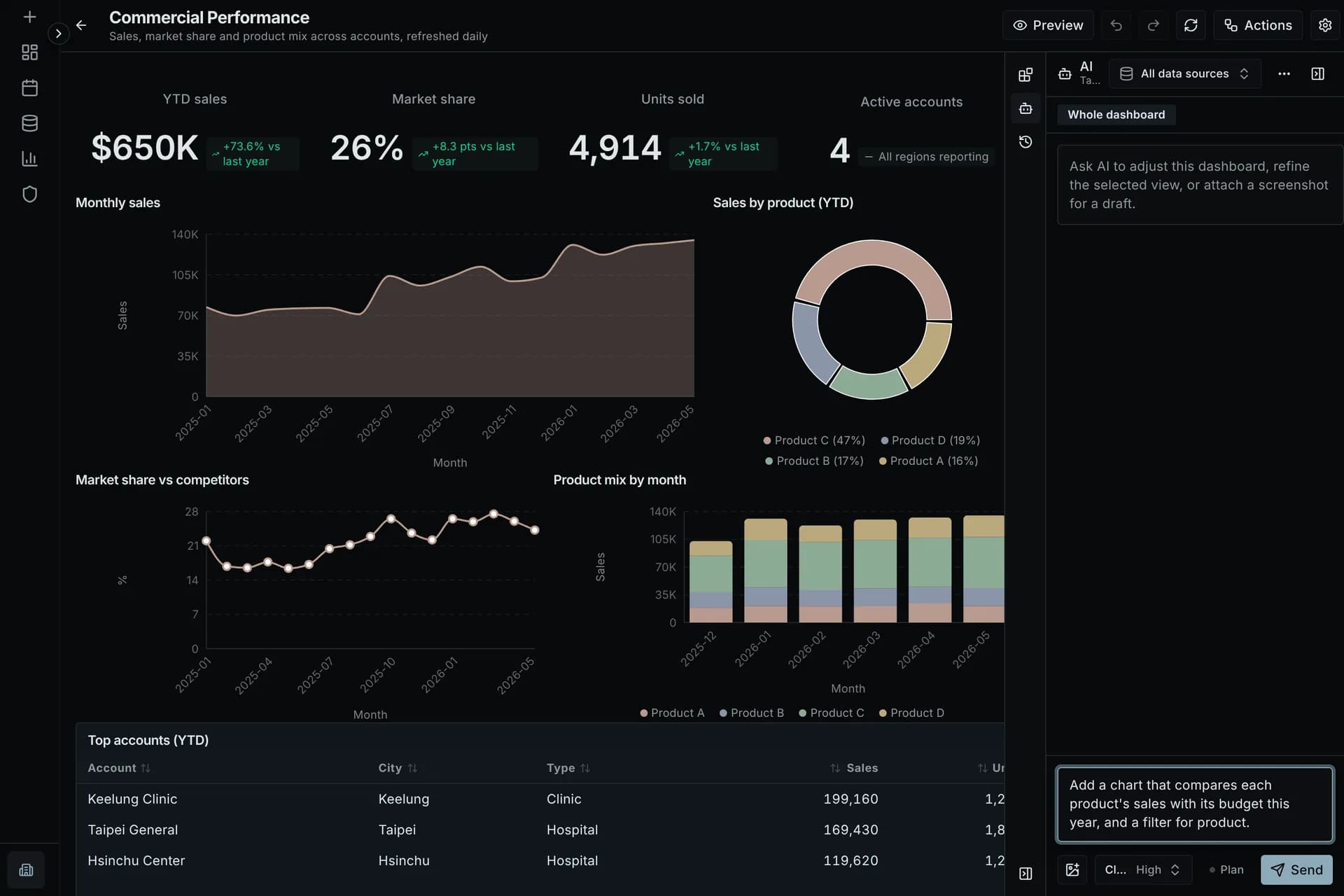
Dashboard editor with the Dashboard AI panel open and a request typed in
02Dashboard AI

Describe the dashboard. Review the plan. Apply.

Tell the AI what you need to track. It plans the views, writes the pipelines behind them and shows you the plan before anything changes.

  • Start from a sentence, a screenshot, or a Tableau or Power BI file
  • Change one view or the whole dashboard
  • Review every AI change, and undo it in one click
03Dashboards

Dashboards that keep up with your data

KPIs, trends and tables stay current as new data arrives. Filter, drill down, share a link or export a PDF.

ai.datamelody.co/dashboards
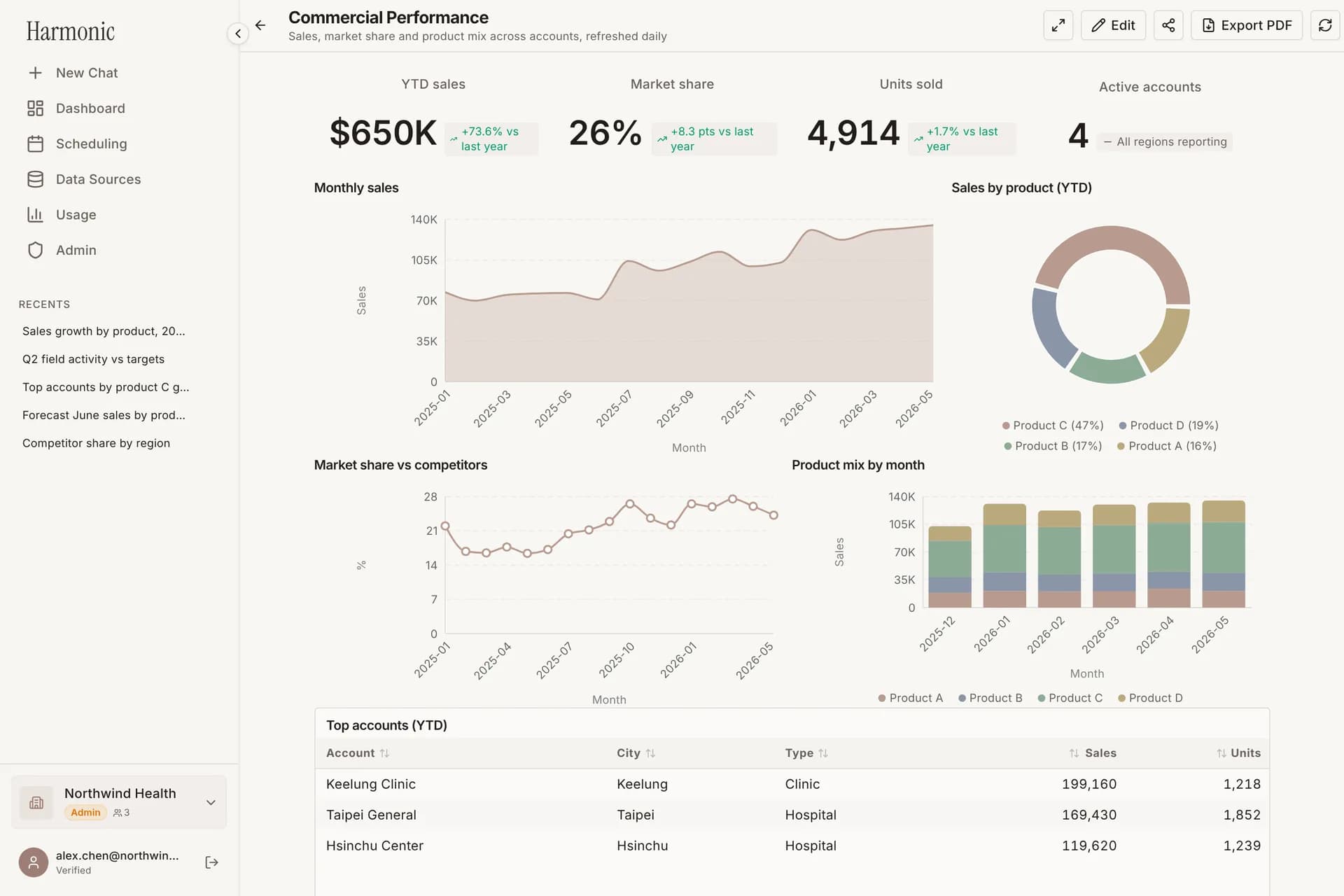
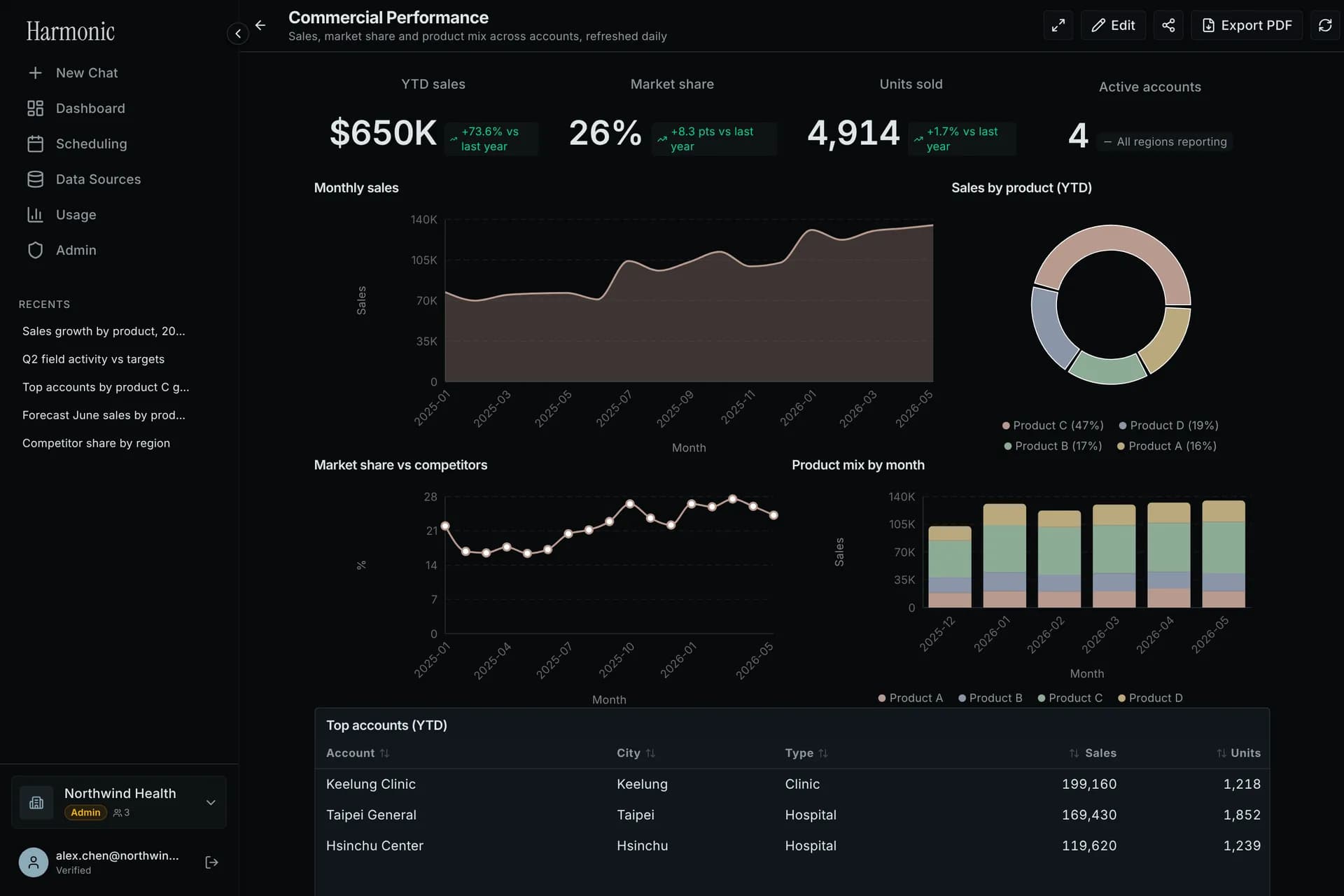
Commercial performance dashboard with KPI cards, a monthly sales trend, a product donut chart and an accounts table
  • KPI cards with year-over-year change
  • Refreshes when new periods land
  • Share a read-only link
  • Export to PDF
04Behind every chart

Governed from query to inbox

Governed pipelines

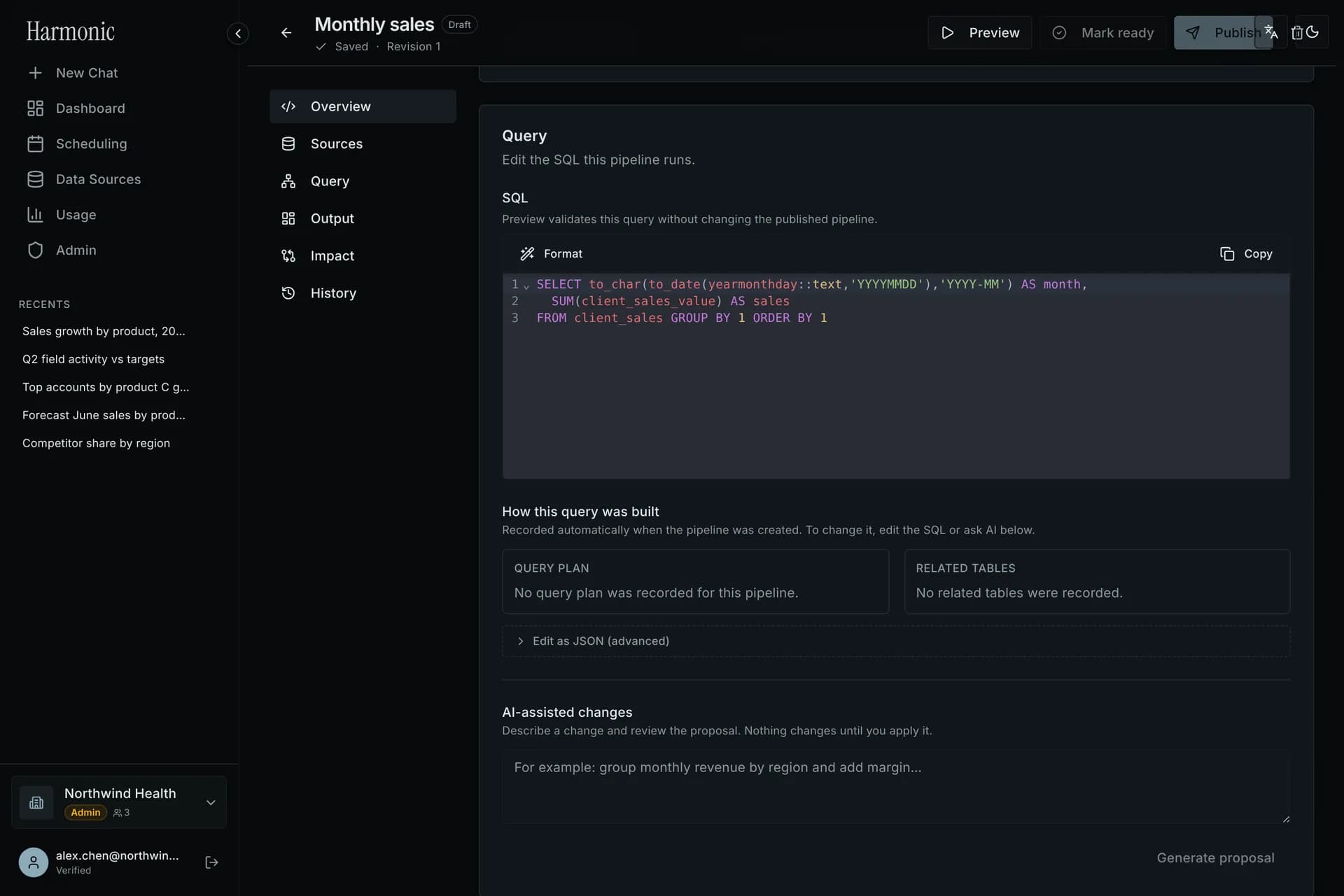
Every chart runs on a saved SQL pipeline with drafts, preview, publish and full version history.
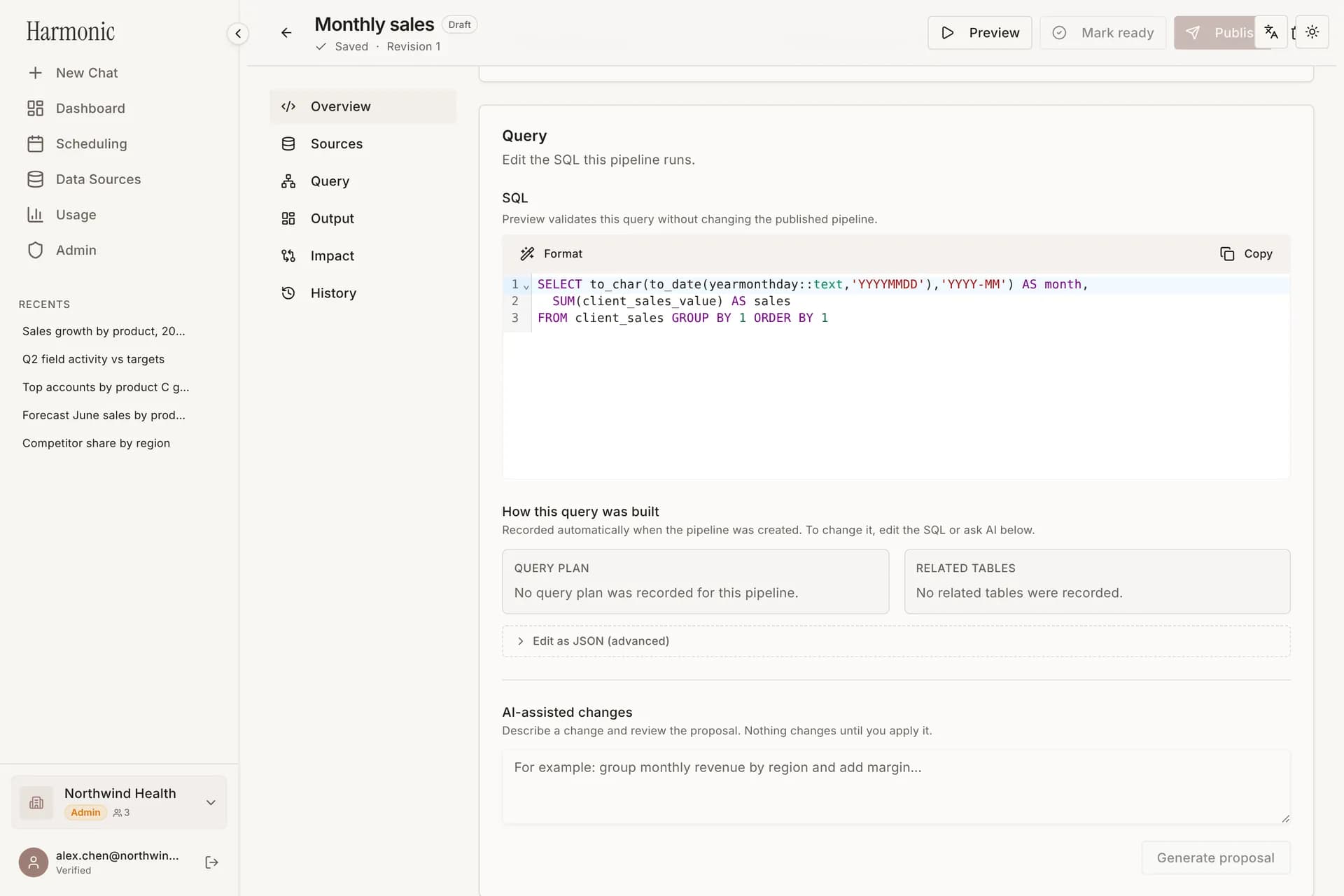
Pipeline editor showing the SQL query of a published pipeline

Scheduled delivery

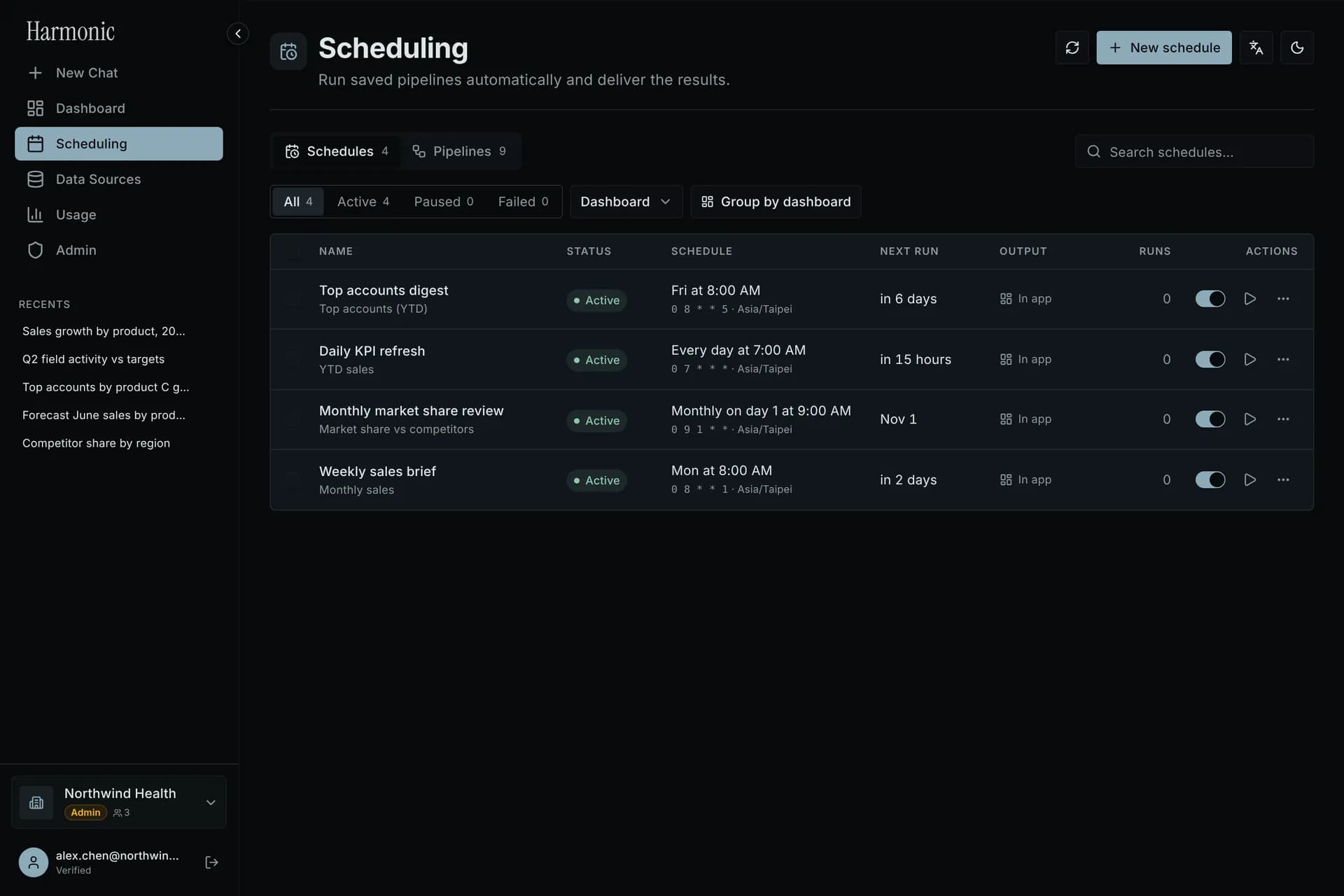
Run pipelines on a schedule and deliver the results by email, PowerPoint or straight into dashboards.
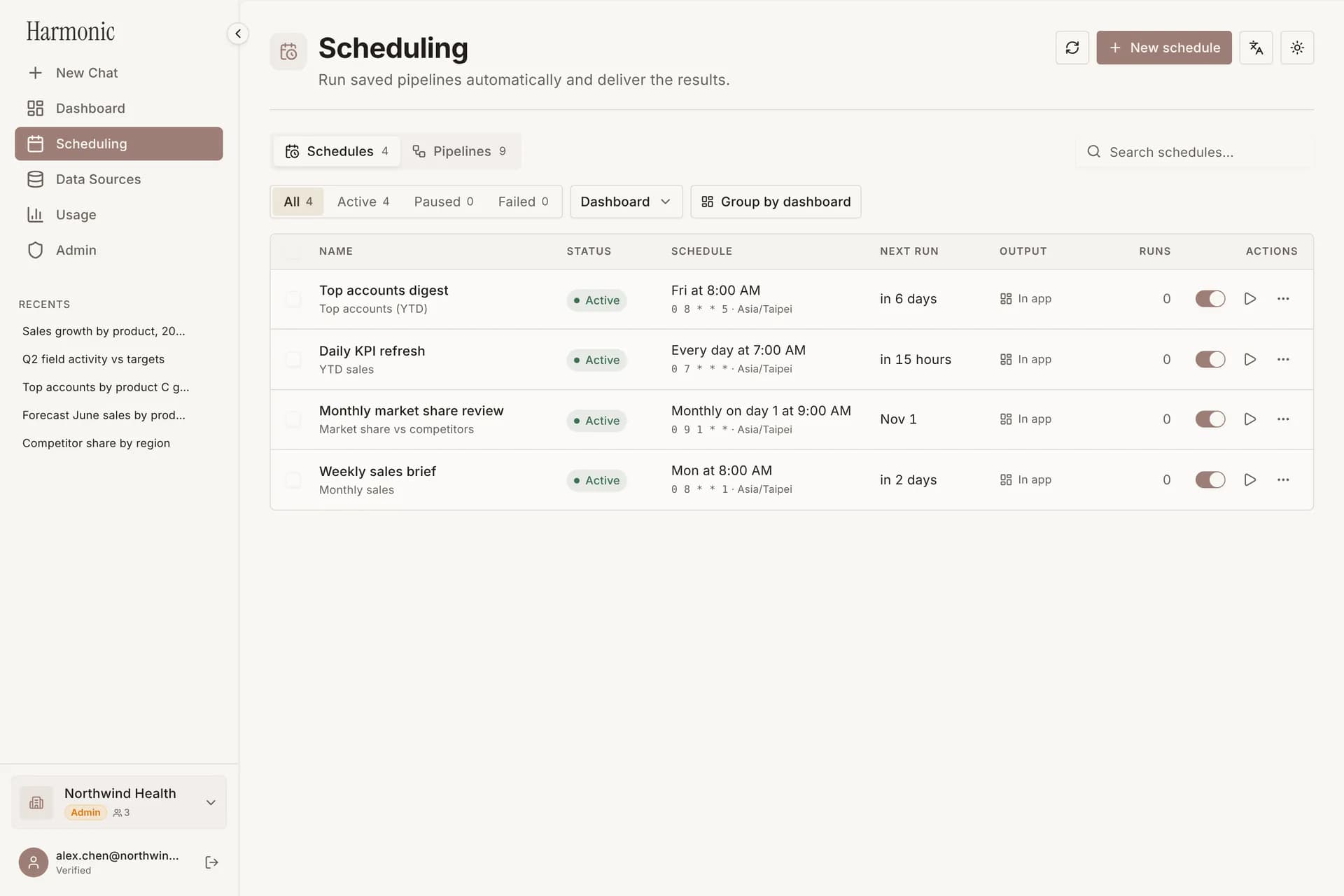
Scheduling page listing weekly and monthly report schedules

Data that explains itself

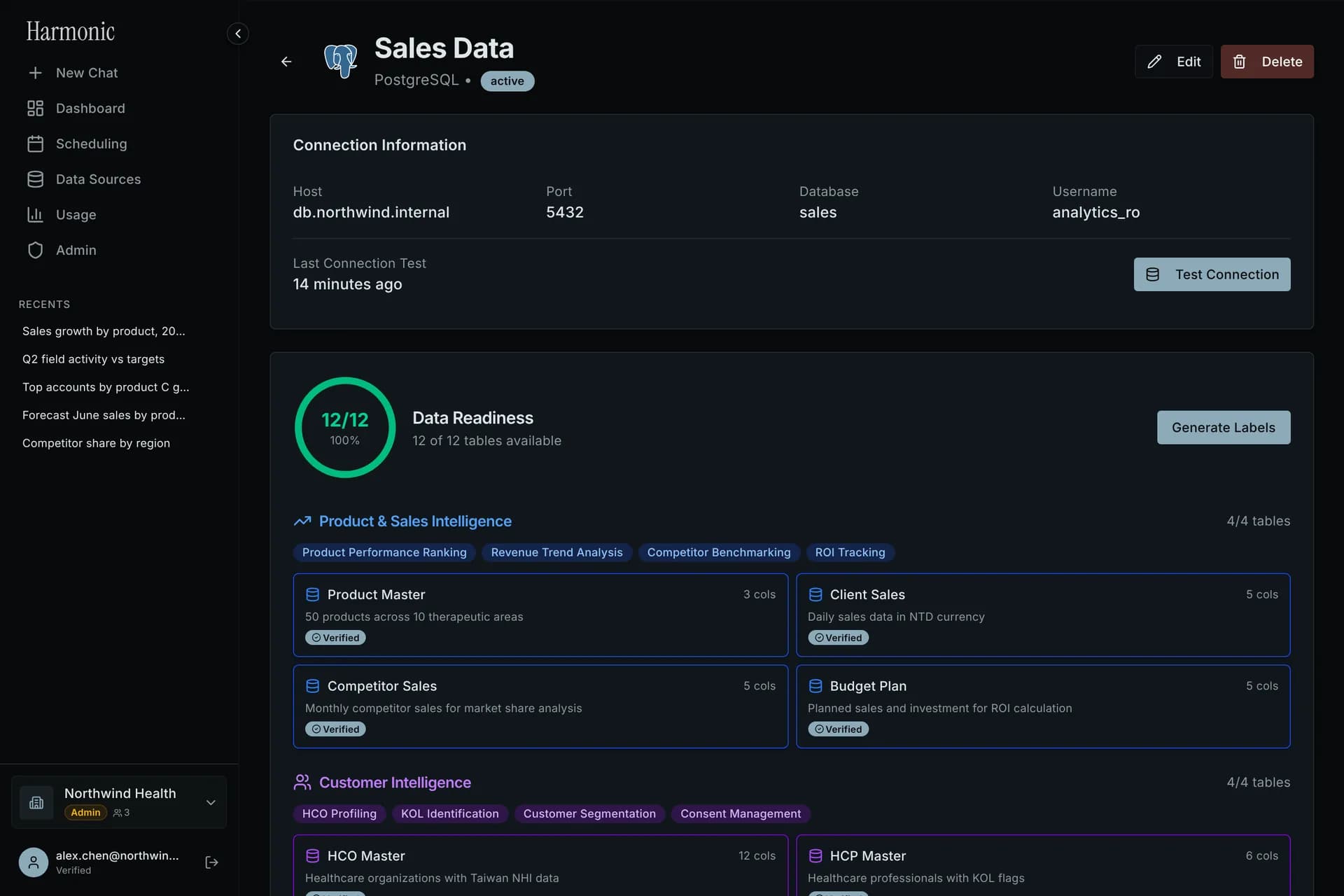
Connect a database and the AI describes tables and columns in business terms, so answers use your vocabulary.
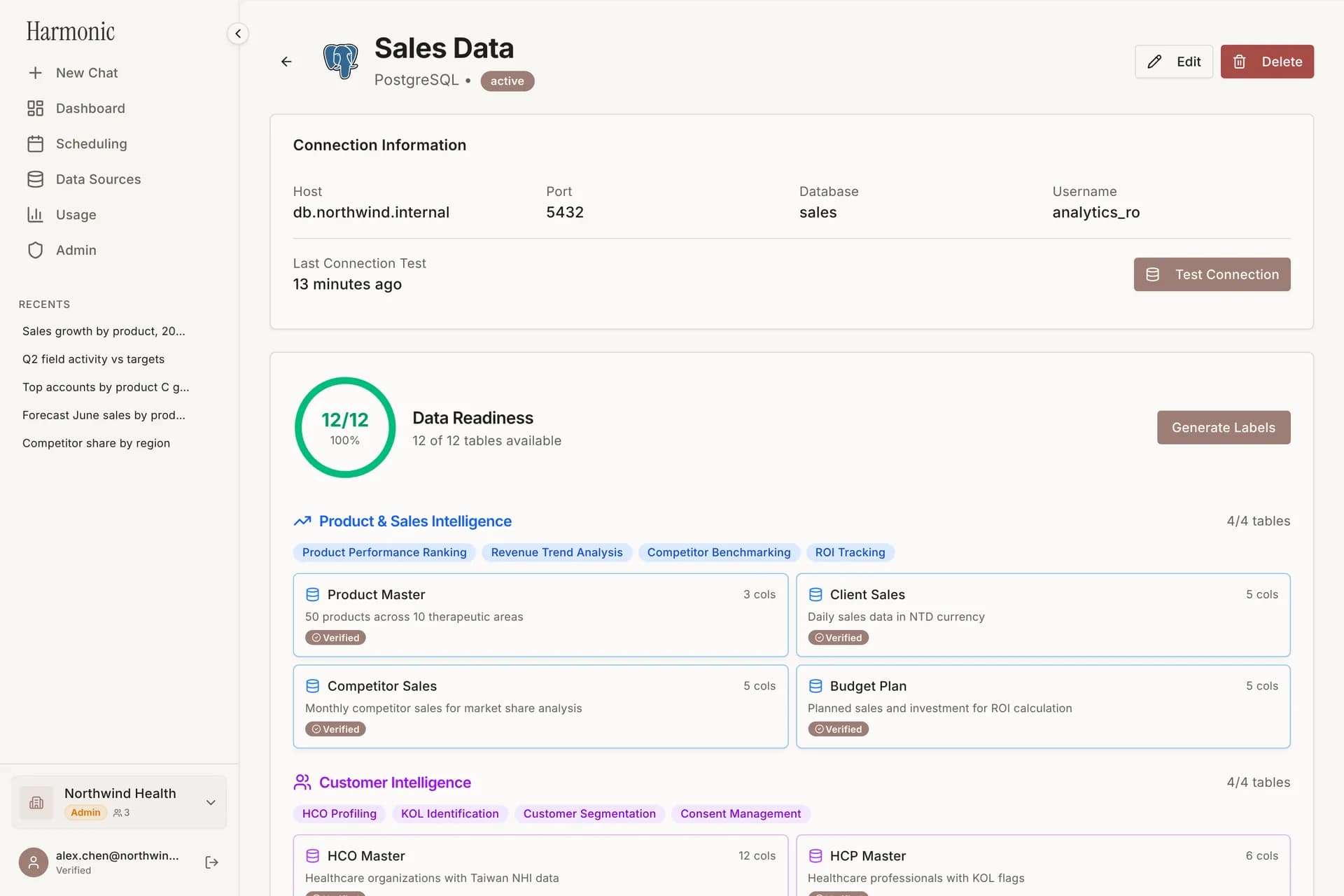
Data source page with AI-generated table descriptions grouped by business domain
How it works

From connection to insight in three steps

  1. 1

    Connect

    Add a database or upload a spreadsheet. Credentials are encrypted, and the AI learns your schema.

  2. 2

    Ask

    Ask in chat or describe a dashboard. Answers come back with the SQL, a chart and an analysis.

  3. 3

    Share and automate

    Publish dashboards, share links with your team and schedule reports that run on their own.

Built for trust

Answers your team can rely on

Made for analysts who need to check the work and for leaders who need to act on it.

Grounded in your tables

Every number is computed from your data, with the SQL and each step shown.

Scoped data access

Each chat and dashboard uses only the data sources you choose for it.

Teams and roles

Workspaces with admin, manager and editor roles, and review before a pipeline goes live.

Your choice of model

Run on OpenAI, Anthropic or Google models and switch per conversation.

Bilingual by design

Ask and get answers in English, Traditional Chinese or Simplified Chinese.

Usage you can see

Follow questions, tokens and cost for each team on the usage page.

Integrations

Works with the data you already have

Connect a database or warehouse in a few fields. Spreadsheets work too.

Databases and warehouses

  • PostgreSQL
  • MySQL
  • SQL Server
  • Oracle
  • Snowflake
  • BigQuery
  • Databricks
  • Amazon Athena
  • Trino
  • Apache Hive
  • Vertica
  • Firebird
  • ODBC

Files

  • Excel
  • CSV

AI models

  • OpenAI
  • Anthropic Claude
  • Google Gemini

Ready to talk to your data?

Connect a database and ask your first question in minutes.